HUMMIX On-Premises can be installed in a closed environment without direct access to an external container image repository. To achieve this, download HUMMIX images on a computer with internet access and upload them to a local image registry. In this article, Harbor is chosen as the local image registry. For more details on configuring and installing Harbor, refer to Install Harbor.
Loading HUMMIX images consists of three steps:
Step 1: Create a new project in Harbor
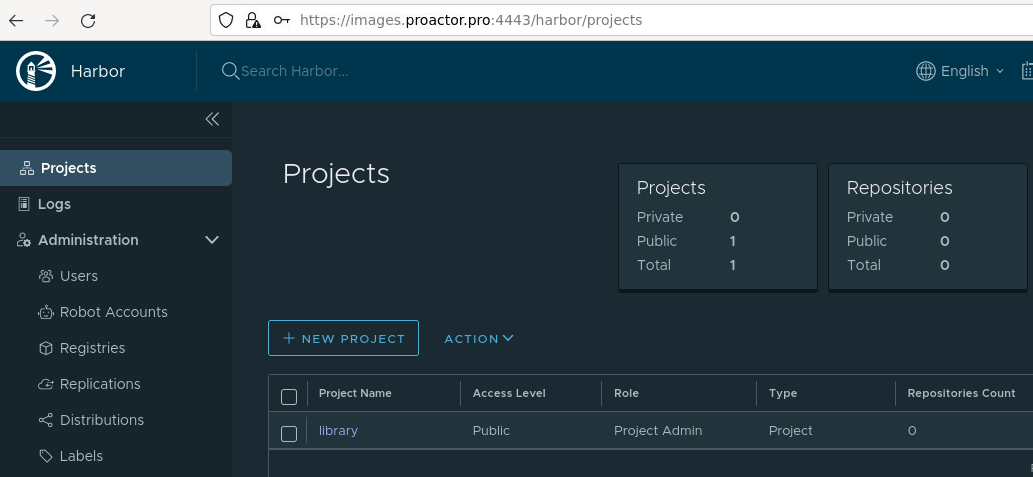
- Log in to the Harbor web interface. In the main left menu, go to the Projects section. To create a new project, click +New project.
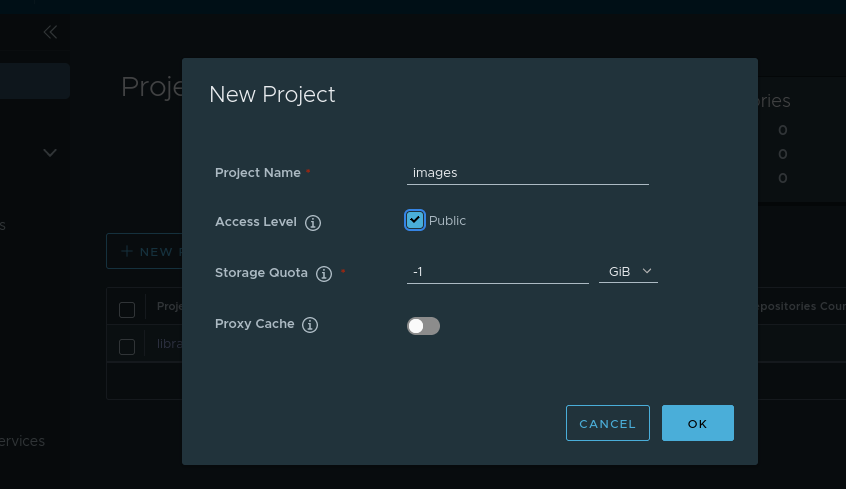
- Enter a lowercase project name, for example, images. Specify whether the project should be public. Click OK.
Step 2: Download HUMMIX images
- On a computer with internet access, download the script to get the HUMMIX distribution packages for offline installation by executing the following command:
curl -fsSL -o hummix-charts-offline.sh https://dl.hummix.co/onPremise/latest/hummix-charts-offline-latest && \
chmod +x hummix-charts-offline.sh
- Execute the script for downloading the HUMMIX distribution packages. When executing the script without parameters, select:
pull (download)command- Packages to download. Use the following keys on the keyboard: Up and Down arrow keys to navigate through the list of packages, Space to select a package:
./hummix-charts-offline.sh
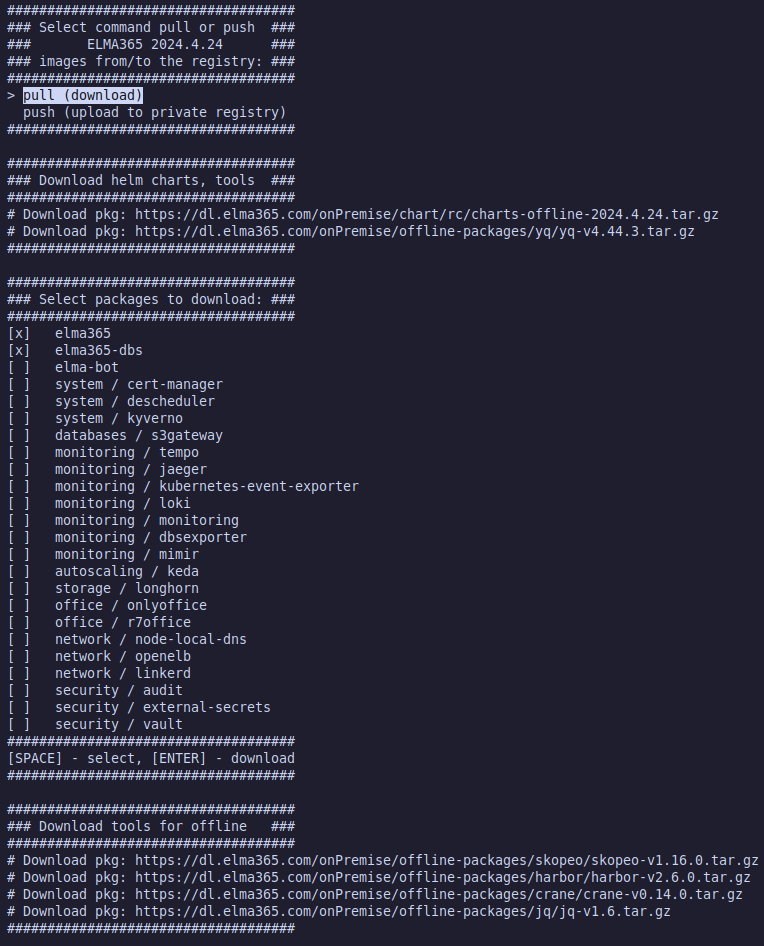
To download images for all the packages, execute the script with the --pull command:
./hummix-charts-offline.sh --pull
- After downloading the distribution packages, copy the obtained
hummix-X.Y.Zdirectory to the server where the installation will take place.
Step 3: Upload HUMMIX images to Harbor
- On the server where the installation will take place, go to the
hummix-X.Y.Zdirectory. - Execute the script for downloading the HUMMIX distribution packages for offline installation and select:
push (upload to private registry)command- Packages which HUMMIX images should be downloaded to the private registry. Use the following keys on the keyboard: Up and Down arrow keys to navigate through the list of packages, Space to select a package:
./hummix-charts-offline.sh
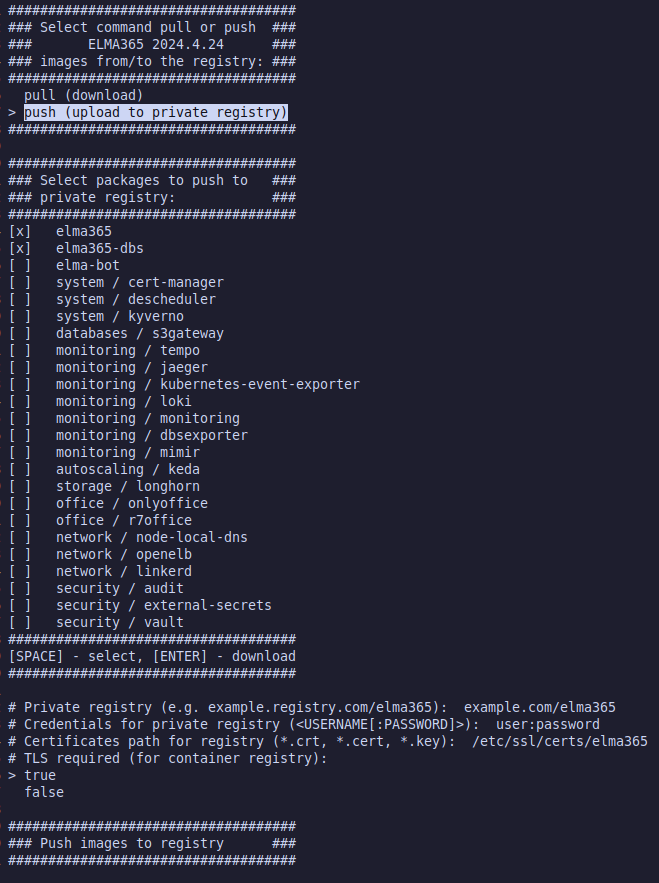
To perform a non-interactive download (when you pre-specify the packages to be downloaded), do the following steps:
./hummix-charts-offline.sh --push |
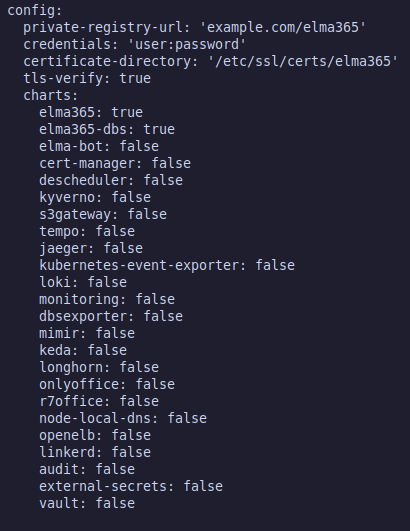
- Wait for the HUMMIX image download script to end.